
 EN
EN
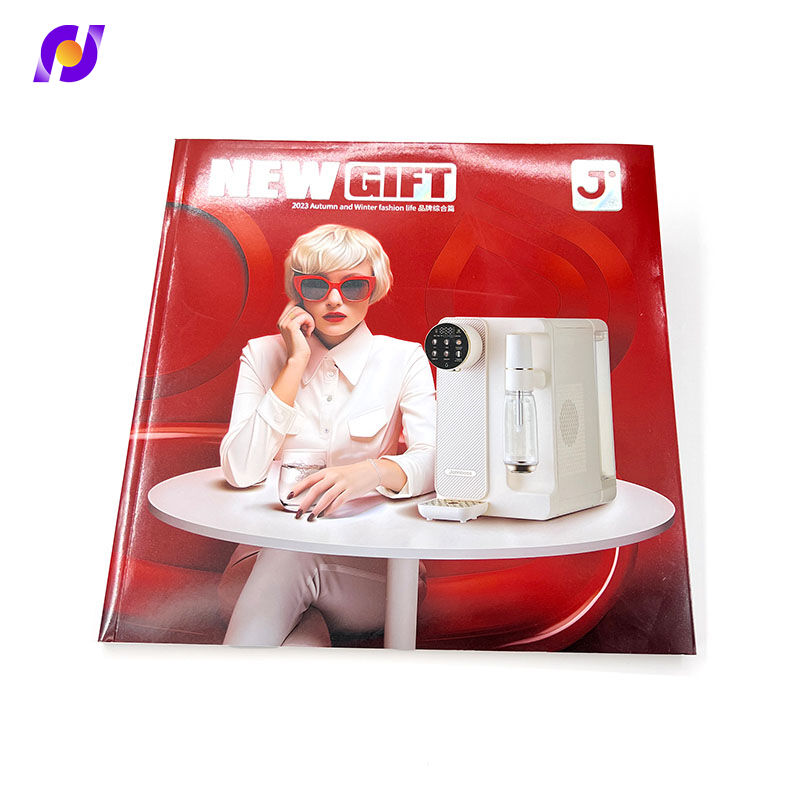
Every decision made during the booklet printing process carries weight, but few choices affect the reader's experience as directly as the size and format of the final piece. Whether you are producing a product catalog, a company profile, an event program, or a training manual, the dimensions you select determine how comfortably a reader can engage with your content. A format that is too large feels unwieldy in the hands, while one that is too small may force designers to compress text and imagery into a cluttered, hard-to-read layout. Getting the size right from the start is not just an aesthetic preference — it is a functional decision with real consequences for communication effectiveness.

Understanding how format impacts readability in booklet printing requires looking beyond paper dimensions alone. It means examining how size interacts with typography, white space, image placement, binding style, and the physical context in which the booklet will be read. This article walks through the key size decisions involved in booklet printing and explains — with practical depth — how each choice shapes the reader's ability to absorb and engage with your content. If your team is preparing for an upcoming booklet printing project, the insights here will help you make informed, purposeful decisions rather than defaulting to the most common size without strategic thought.
The Role of Format in Booklet Printing Readability
Why Size Is a Communication Variable
In booklet printing, size is often treated as a logistical detail — something to confirm before sending files to the printer. In reality, it is one of the most powerful variables in your communication design. The physical dimensions of a booklet influence how a reader holds it, where they read it, and how long they spend with it. A large-format booklet placed on a desk invites slow, deliberate browsing. A small-format booklet slipped into a pocket or bag is read quickly and referenced repeatedly. Neither is inherently better — but each demands a different content strategy and typographic approach.
When booklet printing sizes are chosen arbitrarily, the content often suffers. Designers may find themselves cramming multiple columns into a narrow format or leaving distracting blank space in an oversized one. The result is a finished piece that feels mismatched between its physical form and its content purpose. Readability — the ease with which readers can process text and imagery — is directly tied to how well the chosen format supports the content's natural structure. Choosing size intentionally sets the foundation for every other design decision that follows.
The Relationship Between Page Area and Typography
Typography is one of the most sensitive elements affected by booklet printing format. Larger page sizes give designers the freedom to use generous font sizes, comfortable line spacing, and wide margins — all of which reduce reader fatigue. Smaller page sizes require typographic discipline: font sizes must remain legible without consuming the entire column width, and line lengths must be kept short enough to prevent the eye from losing its place mid-sentence. Research in reading psychology consistently shows that optimal line length for comfortable reading falls between 50 and 75 characters per line, and booklet printing size directly governs whether that target is achievable.
For B2B booklet printing — such as technical manuals, financial reports, or professional service brochures — typographic legibility is especially critical. Decision-makers reading dense content need clear hierarchy, scannable headers, and body text that does not demand visual effort. A format that compresses these elements into insufficient page real estate undermines the credibility and effectiveness of even the best-written content. This is why experienced print buyers and designers align their booklet printing size selection with their typographic requirements before finalizing any layout.
Common Booklet Printing Sizes and Their Readability Profiles
A4 and Letter Size: The Workhorse Formats
The A4 format (210mm x 297mm) and the US Letter size (8.5 x 11 inches) are the most widely used dimensions in booklet printing globally. They are familiar, versatile, and cost-efficient because they align with standard printing press setups and paper stock sheets. From a readability standpoint, these formats offer the most generous canvas for content-heavy booklets. Multi-column layouts, large imagery, and detailed infographics all work well within these dimensions. Product catalogs, annual reports, and training materials are naturally suited to A4 or Letter booklet printing.
However, the very generosity of these formats can become a design challenge if content density is low. An A4 booklet with minimal content per page may feel thin and unbalanced, with awkward white space that signals poor planning rather than intentional breathing room. Skilled designers balance this by using the extra page area to enhance readability through visual hierarchy: larger pull quotes, more prominent subheadings, and imagery that supports rather than merely decorates the text. When used well, A4 and Letter booklet printing formats deliver consistently strong readability across a wide range of content types and audiences.
A5 and Half-Letter: Compact Formats with Strong Portability
The A5 format (148mm x 210mm) and Half-Letter (5.5 x 8.5 inches) represent a popular middle ground in booklet printing. These sizes are compact enough to be held comfortably in one hand yet large enough to accommodate readable body text without extreme compression. They are widely chosen for event programs, product brochures, membership guides, and pocket reference booklets. The reduced page area encourages brevity, which often improves communication — forcing writers to prioritize essential information over filler content.
Readability in A5 booklet printing depends heavily on restraint. Designers must avoid the temptation to retain A4-style layouts on a smaller canvas, as this leads to text that feels cramped and visually fatiguing. Single-column layouts with generous inter-line spacing and clear section breaks work best. Headers should be proportionally scaled, and imagery should be purposeful rather than space-filling. When these principles are followed, A5 booklet printing produces pieces that feel polished, professional, and genuinely easy to read — even for audiences encountering the content in transit or at events.
Square and Custom Formats: When Brand Trumps Convention
Square formats — such as 148mm x 148mm or 210mm x 210mm — have grown in popularity for booklet printing projects where brand identity and visual distinctiveness are primary objectives. Creative agencies, luxury brands, and experience-focused businesses often use square booklets to differentiate their printed collateral from competitors who default to standard rectangles. From a readability perspective, square formats introduce unique challenges because they do not conform to conventional reading conventions built around portrait or landscape orientation.
In square booklet printing, text columns must be carefully width-controlled to prevent excessively long line lengths that make reading difficult. Imagery tends to dominate more naturally in square layouts, which can be an advantage for visually rich content but a liability for text-heavy material. Custom formats beyond standard square — such as narrow portrait booklets or wide landscape formats — require even more deliberate typographic planning. The key principle is that any deviation from standard booklet printing dimensions should be driven by a clear communication rationale, not merely a desire for novelty, so that readability remains the ultimate beneficiary of the format choice.
How Orientation Affects the Reading Experience
Portrait Orientation: The Default and Its Advantages
Portrait orientation is the dominant choice in booklet printing because it mirrors the way humans naturally read and handle bound documents. Books, reports, magazines, and catalogs have historically been produced in portrait format, which means readers approach portrait booklets with pre-existing comfort and familiarity. This familiarity reduces cognitive friction at the moment of engagement — readers begin absorbing content sooner because they do not need to reorient their reading habits. For content-focused booklet printing projects where the goal is sustained reading, portrait orientation consistently outperforms alternatives in readability studies and real-world usage.
Portrait booklet printing also aligns naturally with text-heavy content structures. Long-form paragraphs, numbered chapters, and multi-page narratives all read more fluidly in portrait format because the vertical page dimension accommodates natural downward eye movement as readers progress through text blocks. For B2B applications — training guides, corporate brochures, proposal documents — portrait booklet printing remains the most reliable choice when readability and professional credibility must work together seamlessly.
Landscape Orientation: When Horizontal Space Serves the Content
Landscape orientation in booklet printing offers a fundamentally different reading experience. The horizontal page dimension encourages the eye to travel across the page rather than down it, which suits content that is inherently wide: comparison charts, panoramic photography, timeline graphics, and multi-column reference content. Landscape booklet printing is increasingly used for product specification guides, architectural portfolios, and technology showcases where visual breadth adds genuine informational value rather than simply filling space.
The readability risk in landscape booklet printing lies in line length management. Without careful column structuring, the horizontal page area encourages lines of text that stretch far too wide for comfortable reading. Experienced designers address this by breaking landscape pages into two or three distinct columns, effectively creating multiple portrait-like reading lanes within the wider format. When this technique is applied well, landscape booklet printing can be just as readable as portrait — while delivering a visual presentation that feels expansive, modern, and content-rich in ways that standard portrait formats cannot easily match.
Binding Style and Its Interaction With Format Readability
Saddle Stitching and Its Size Compatibility
Saddle stitching is one of the most common binding methods in booklet printing, particularly for pieces with lower page counts — typically between 8 and 64 pages. In saddle-stitched booklet printing, the pages are folded and stapled along the spine, producing a flat, lightweight booklet that lies open easily. This binding method is especially readability-friendly because it allows pages to open completely flat without resistance, meaning readers can access both pages of a spread simultaneously without losing content into a tight gutter.
For booklet printing projects using saddle stitching, size selection should account for the fact that saddle-stitched booklets naturally feel informal and accessible rather than weighty and authoritative. A5 and Letter-size saddle-stitched booklets strike an excellent balance between portability and readability. Larger formats — such as A4 or tabloid — can also work well in saddle-stitched booklet printing when the content benefits from generous page area, such as product catalogs or event programs that blend text with full-page imagery.
Perfect Binding and Spine Width Considerations
Perfect binding — where pages are glued to a flat spine — is used for thicker booklet printing projects, typically those exceeding 48 pages. The resulting spine creates a readable label surface for the booklet's title, which is particularly valuable when the printed piece will be displayed on shelves or stored in document folders. From a readability standpoint, perfect-bound booklets introduce a gutter challenge: the inner margins near the spine must be wide enough to prevent text from disappearing into the binding.
This gutter requirement effectively reduces the usable text area on each page, which means booklet printing size selection for perfect-bound projects should factor in an additional margin buffer compared to saddle-stitched equivalents. Designers working on perfect-bound booklet printing for A4 or US Letter formats typically add between 5mm and 10mm to the inner margin to preserve comfortable reading access across the full text block. Ignoring this interaction between binding style and page size is one of the most common — and most avoidable — readability errors in professional booklet printing.
Practical Size Selection Framework for Booklet Printing Projects
Matching Format to Content Type and Audience Context
A practical approach to booklet printing size selection begins with two questions: What type of content am I communicating, and in what context will the reader engage with it? The answers to these questions should drive format decisions more reliably than defaulting to the most common size. A booklet printing project for a trade show handout requires a format that is light, portable, and immediately scannable — pointing toward A5 or smaller. A booklet printing project for a premium B2B service proposal demands gravitas, space for detailed argumentation, and a professional finish — pointing toward A4 or Letter in a heavier paper stock.
Audience context also encompasses the reading environment. Will the booklet be read at a desk, in a waiting room, during a commute, or at an event? Each setting implies different ergonomic preferences and attention spans. Booklet printing for environments where readers have limited space — such as trade shows or retail contexts — benefits from compact, self-contained formats. Booklet printing for office or boardroom contexts can leverage larger formats with richer detail, knowing that readers have time, space, and motivation to engage thoroughly with the content.
Aligning Size With Print Production Efficiency
Beyond readability, booklet printing size decisions carry significant implications for production cost and turnaround. Standard sizes like A4, A5, and Letter are optimized for commercial printing presses and standard paper sheet dimensions, which means they carry no premium for unusual configuration. Custom or non-standard sizes in booklet printing often require additional cutting, special press setups, or material waste — all of which increase per-unit costs and may extend production lead times.
For businesses managing booklet printing budgets carefully, the recommendation is to exhaust the readability potential of standard sizes before considering custom formats. Standard sizes, when handled with thoughtful design, can deliver exceptional readability and visual distinction without incurring the cost premium of custom dimensions. If a custom booklet printing size is genuinely warranted by brand strategy or content requirements, the additional investment should be justified by a clear communication benefit that cannot be achieved within standard format constraints.
FAQ
What is the most readable size for booklet printing?
There is no single universally 'most readable' size for booklet printing, because readability depends on the interaction between page dimensions, content type, and audience context. That said, A4 and Letter sizes are consistently strong performers for text-heavy booklet printing because they provide generous page area for comfortable typography. A5 is excellent for compact, portable booklets where brevity and portability are priorities. The best approach is to align the booklet printing size with both the content's typographic requirements and the reader's likely engagement context.
How does booklet printing size affect printing costs?
Standard booklet printing sizes — such as A4, A5, and US Letter — are the most cost-efficient because they align with commercial press configurations and standard paper stock. Custom or non-standard booklet printing dimensions can increase costs due to additional cutting, setup fees, or paper waste. For most booklet printing projects, standard sizes deliver sufficient design flexibility without cost penalties. Custom sizes should be reserved for projects where brand differentiation or content requirements genuinely justify the additional investment.
Does landscape orientation work well for booklet printing?
Landscape orientation can work very effectively in booklet printing when the content naturally benefits from horizontal space — such as wide infographics, comparison layouts, panoramic imagery, or product specification grids. However, landscape booklet printing requires careful column structuring to prevent overly wide text lines that reduce reading comfort. Designers typically divide landscape pages into two or three columns to maintain optimal line length for body text. When managed correctly, landscape booklet printing is both visually distinctive and fully readable.
How many pages should a standard booklet printing project include?
Booklet printing page counts must always be multiples of four, because each sheet of paper contributes four pages when folded. For saddle-stitched booklet printing, the practical range is typically between 8 and 64 pages, with 48 pages often cited as a comfortable upper limit before perfect binding becomes advisable. Page count also interacts with readability: too few pages may mean content is rushed and poorly spaced, while too many pages in a small-format booklet can make the piece feel dense and intimidating. Aligning page count with format size and content volume is a critical part of the booklet printing planning process.